Frequently Asked Questions

Advisor Plan FAQs

The Advisor Plan is designed for accountants, Fractional CFOs, CPA firms, bookkeepers, consultants, and other business advisors who provide budgeting, forecasting, and financial planning services to multiple clients.

With one Advisor account, you can manage as many client companies as your firm needs. Each client maintains its own budgeting and forecasting model while you manage them all from a single account.

Whether your clients are small businesses, nonprofits, franchises, or multi-entity organizations, the Advisor Plan is built to help you deliver professional financial planning and advisory services at scale.

PlanGuru helps advisors deliver higher-value financial planning and advisory services more efficiently.

With PlanGuru, advisors can create professional budgets, forecasts, cash flow projections, dashboards, and financial reports for multiple clients from one centralized platform. Built-in forecasting tools, scenario planning, and PlanGuru Analytics help advisors provide forward-looking recommendations that strengthen client relationships and support ongoing advisory engagements.

By spending less time building spreadsheets and more time delivering strategic guidance, advisors can serve more clients, increase recurring advisory revenue, and scale their practice with confidence.

The Advisor Plan includes everything you need to deliver budgeting, forecasting, reporting, and FP&A services to your clients.

Every Advisor Plan includes access to:

• Budgeting and financial forecasting
• Three-way financial statements (Profit & Loss, Balance Sheet, and Cash Flow)
• Scenario planning
• KPI reporting
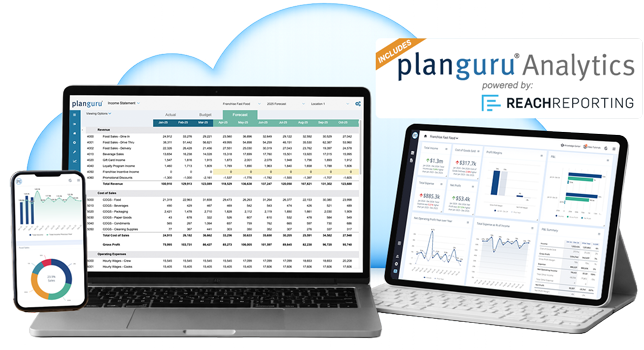
• PlanGuru Analytics with interactive dashboards, reports, and AI-powered summaries
• Multi-user collaboration
• Client management from a single Advisor account

Single Entity clients are designed for organizations with one reporting entity, while Consolidation clients are designed for organizations that need consolidated financial reporting across multiple companies, locations, departments, or business units.

A Single Entity Client is ideal for businesses and nonprofits that operate as one organization. Each client can create multiple budgeting and forecasting scenarios, along with reports, dashboards, and financial analysis.

A Multi-Unit Consolidation Client allows you to build separate budgets and forecasts for multiple companies, departments, locations, or business units before automatically consolidating them into one set of financial statements. You can also analyze both individual unit performance and consolidated results.

There is no limit to the number of client companies you can manage with the Advisor Plan.

Each Advisor subscription includes three client companies. As your firm grows, you can add additional clients at any time.

• Additional Single Entity Client: $49/month or $499/year
• Additional Multi-Unit Consolidation Client: $119/month or $1,199/year

This flexible pricing allows you to expand your advisory practice without changing platforms.

Yes. You can upgrade your Advisor Plan as your firm grows.

You can switch from a monthly subscription to an annual subscription at any time. You can also add additional client companies or upgrade clients from Single Entity to Multi-Unit Consolidation whenever your clients’ needs change.

Collaboration

Yes. You decide whether your clients have access and exactly what they can see.

You can invite clients to collaborate within PlanGuru and assign permissions based on their responsibilities. User permissions can be configured at both the company and reporting levels, giving you complete control over who can view or edit information.

Permission levels include:

• Full Access
• Read/Write
• View Only

You can also control access to:

• PlanGuru Analytics dashboards and reports
• Budget and forecast scenarios
• Profit & Loss
• Balance Sheet
• Cash Flow Statement
• KPI reporting

This allows advisors and clients to collaborate securely while maintaining appropriate access controls.

Your Advisor Plan includes unlimited Advisor Users at no additional cost.

Advisor Users are members of your firm who use your firm’s email domain and collaborate on client engagements. You can assign each Advisor User access to one, several, or all client companies.

Each client company also includes one Client User. Additional Client Users can be added for $29/month or $299/year per user.

This gives your firm the flexibility to collaborate internally while providing clients with secure access when needed.

Yes. PlanGuru provides flexible user permissions so you control who can view and edit information.

Each user can be assigned one of three permission levels:

• Full Access
• Read/Write
• View Only

Permissions can also be customized for:

• PlanGuru Analytics dashboards and reports
• Budget and forecast scenarios
• Profit & Loss
• Balance Sheet
• Cash Flow Statement
• KPI reporting

This allows advisors to securely collaborate with team members and clients while ensuring users only have access to the information they need.

Yes. With the Advisor Plan, you can manage all of your client companies from one centralized account.

You can add new client companies as your firm grows, invite other advisors from your team at no additional cost, assign role-based permissions, and securely collaborate with each client—all while keeping every engagement organized in one place.

Implementation

Yes. PlanGuru offers a free trial so you can explore the software before purchasing.

During your trial, you’ll have access to the features included in your selected plan so you can build budgets, forecasts, reports, and dashboards using your own financial data.

👉 Start your Free Trial here

Yes. Technical support is included with every PlanGuru subscription.

Our support team is available to help with software questions, troubleshooting, and best practices. You can:
* Submit a support ticket through our Help Center
* Email support@planguru.com
* Call (888) 822-6300

Yes. Every PlanGuru subscription includes onboarding assistance.

You can get started using our Help Center, implementation guides with PlanGuru, and video tutorials, or schedule a one-on-one onboarding session with a dedicated Budgeting Analyst to help you get up and running.

If you’d like additional assistance building your budgeting or forecasting model, our PlanGuru Launch Service provides hands-on implementation and custom model development to help you get started faster.