
Cash Flow Forecasting that Does the Math for You
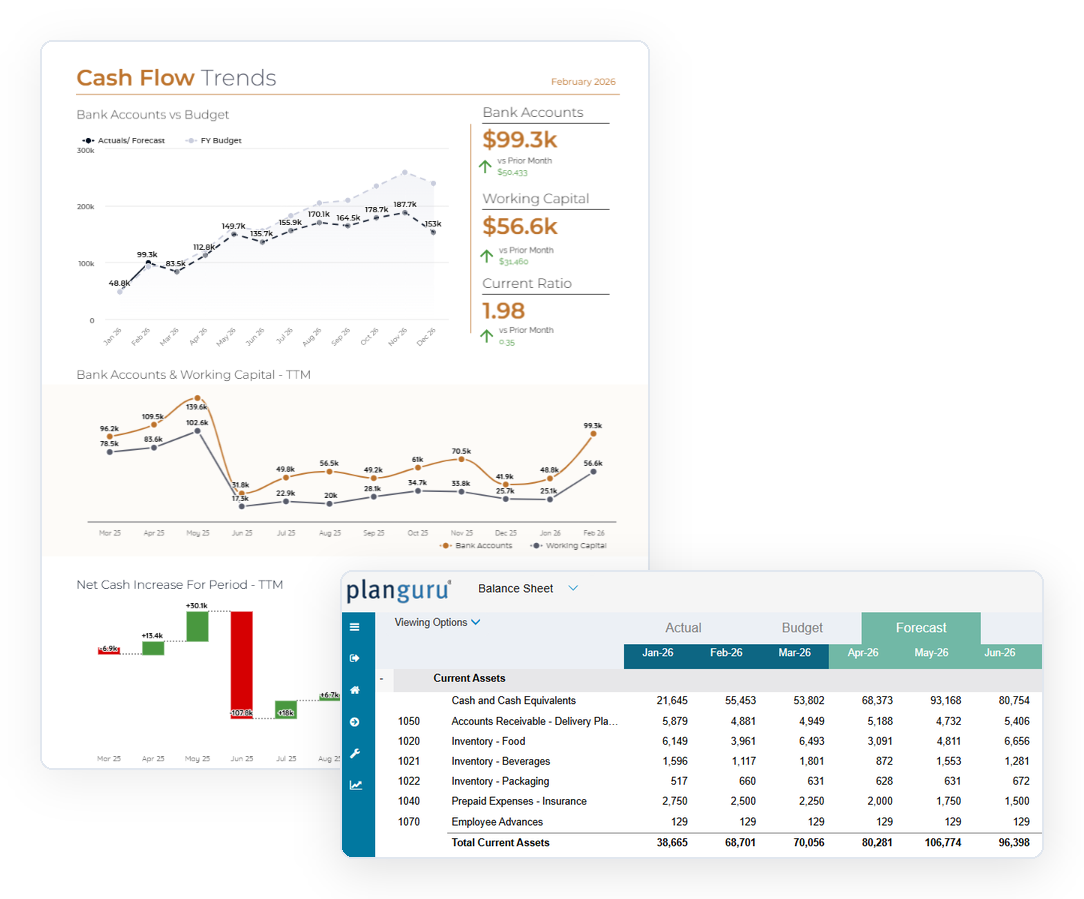
Cash is king, and spreadsheets rarely get it right. PlanGuru calculates your cash balance for you, so every change you make to your income statement or balance sheet flows straight through to your cash forecast and cash flow statement.
Stop Forcing Your Spreadsheet to Tie Out
Building a budget that accounts for every factor affecting cash is one of the hardest parts of financial planning. PlanGuru handles the cash math so you can focus on the decisions behind it.
PlanGuru Solves for Cash So You Don’t Have To
Open a blank scenario and your Cash & Cash Equivalents line is already there. It works differently from every other account: PlanGuru manages it for you, based on everything else in your model.
Follow the Cash: A Quick Example
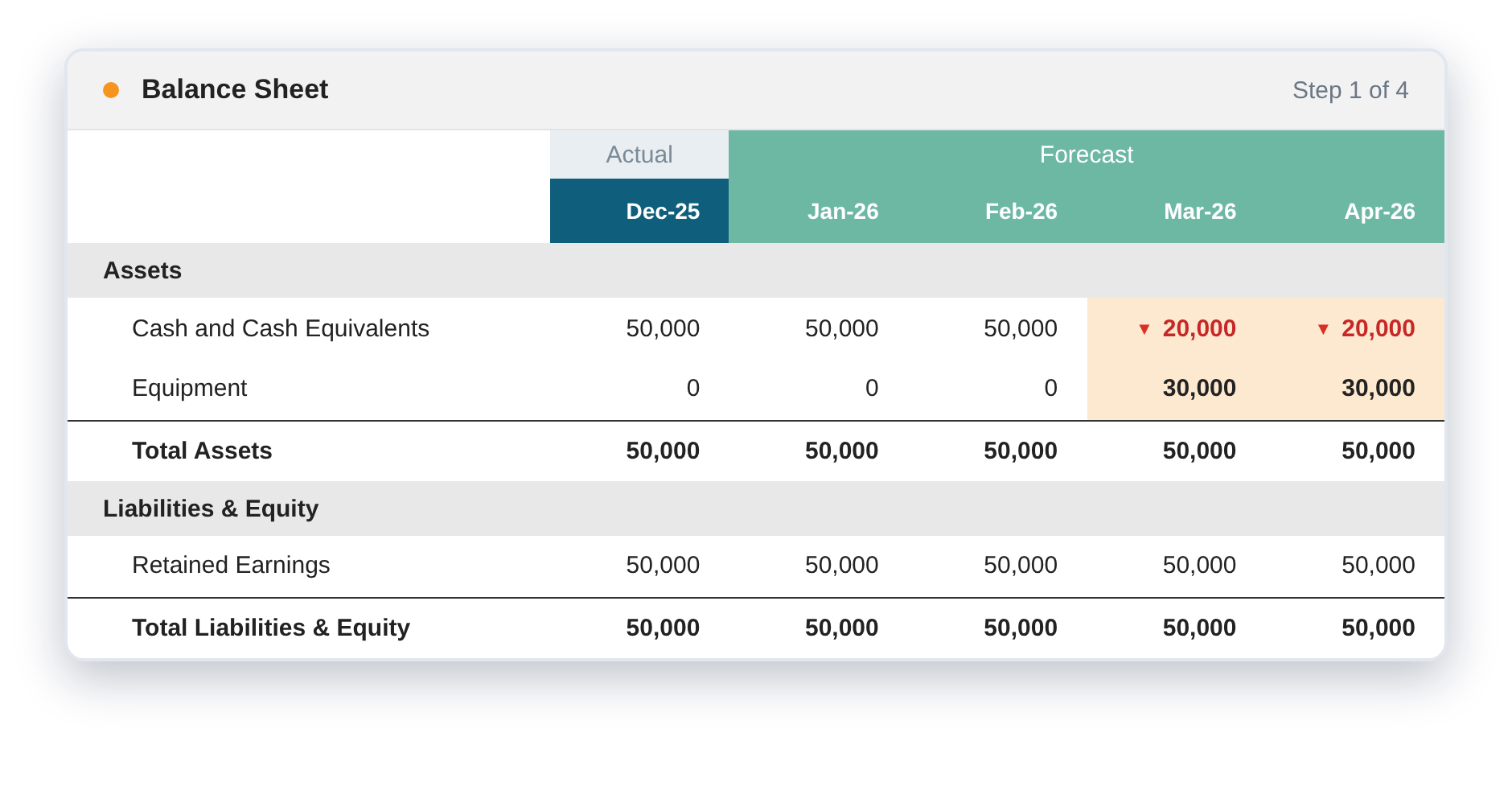
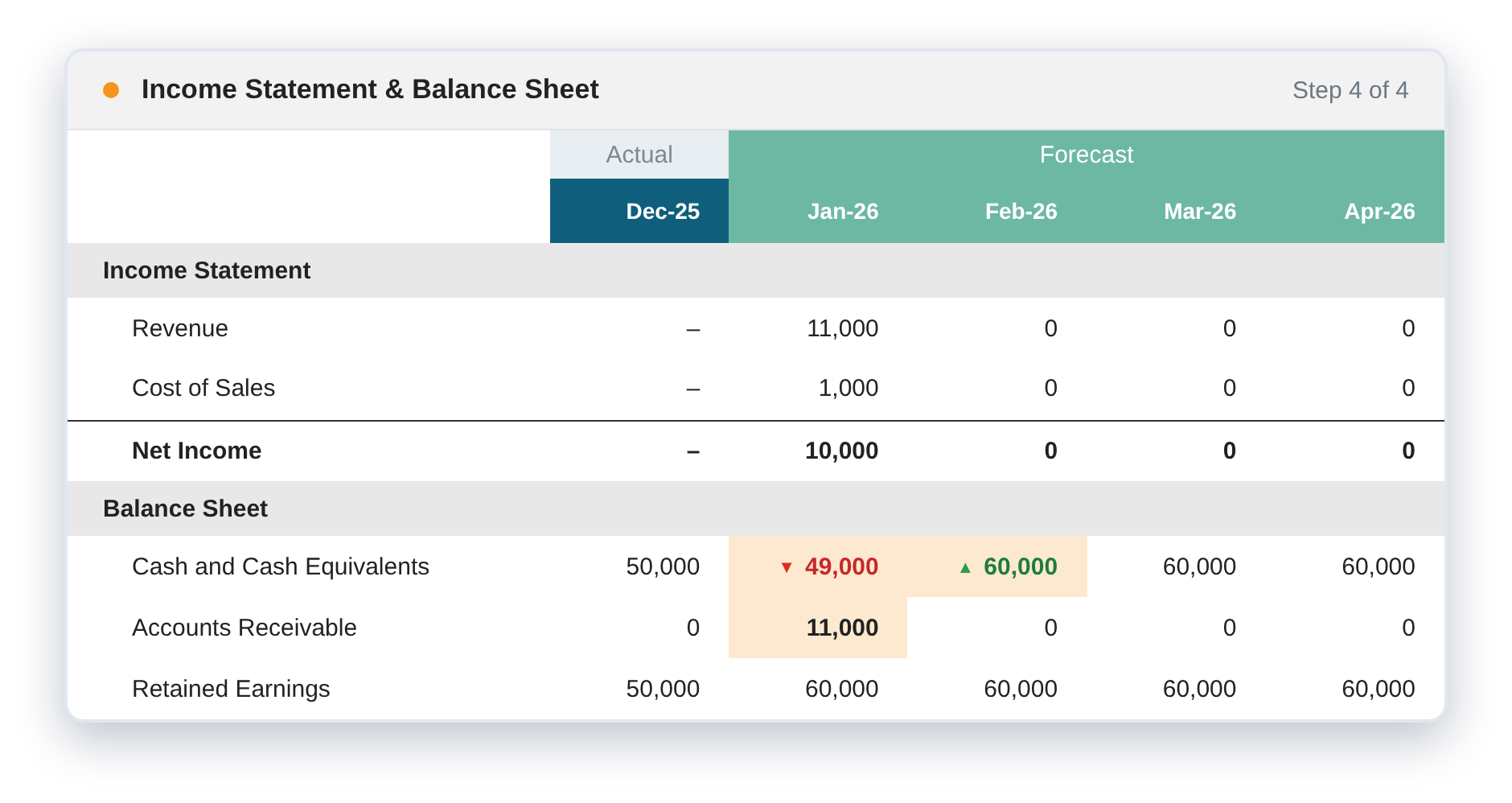
Start with a simple model holding $50,000 in cash. Click through each step to see how PlanGuru updates cash as you build.
Cash goes to: $20,000.
With no other instructions, PlanGuru assumes you paid cash and reduces your balance by the full purchase price.
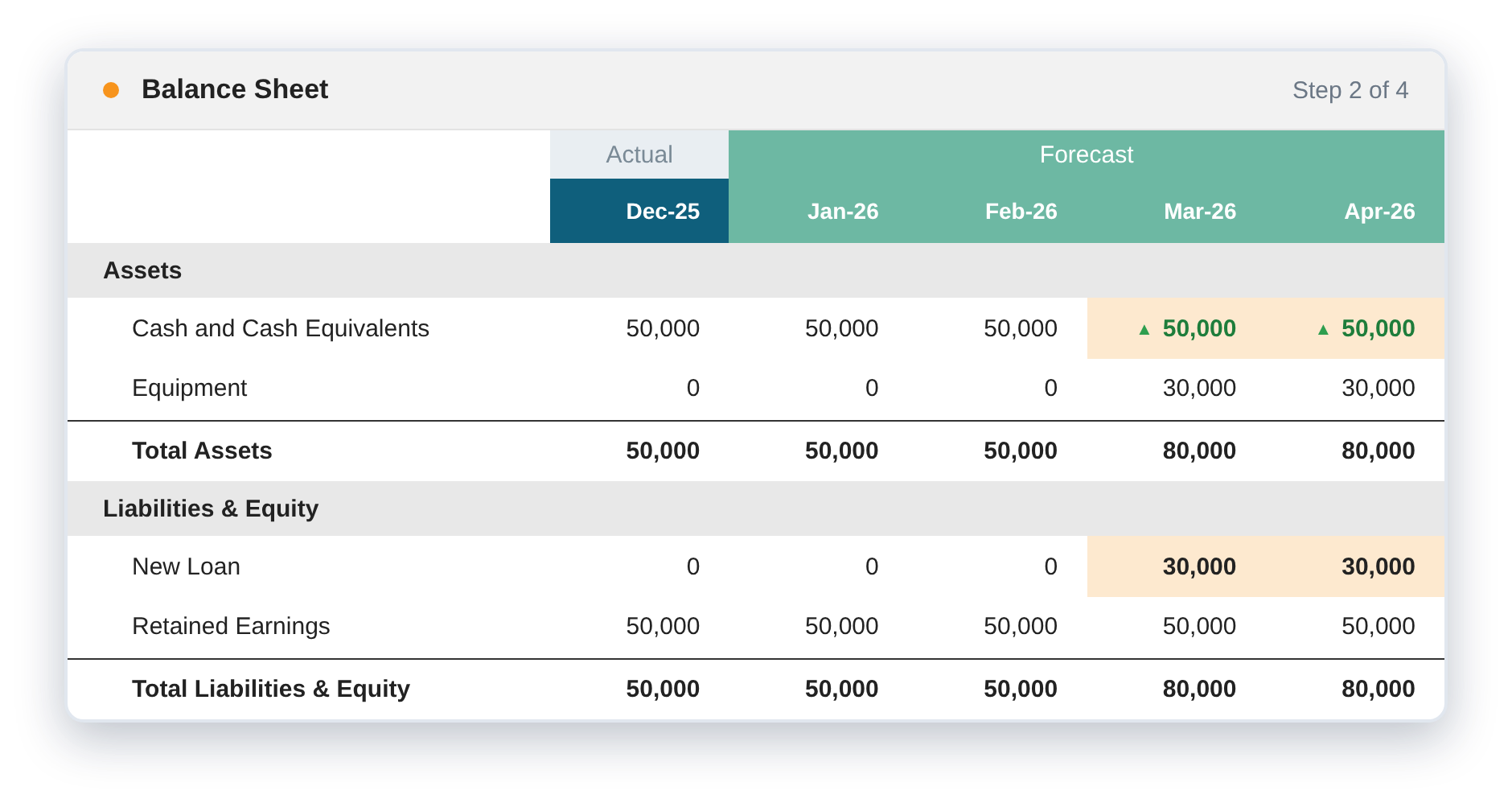
Cash goes to: $50,000.
The loan offsets the purchase, so your cash returns to where it started. Need the full payment schedule? The Notes Payable method calculates amortization from your loan terms.
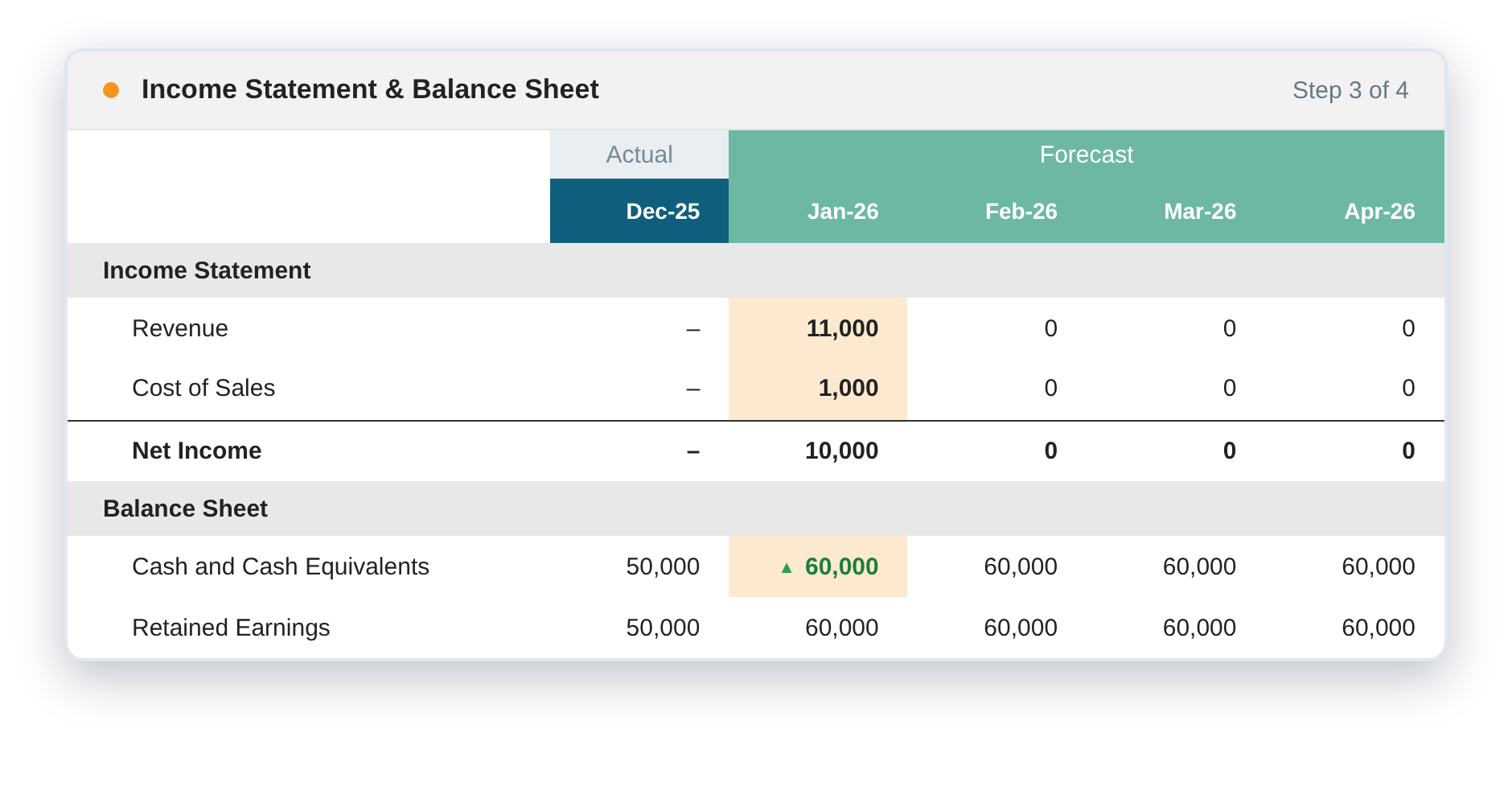
Cash goes up by: $10,000, equal to net income.
That’s exactly right if every sale is collected in cash on the spot.
Cash in January: down $1,000. Cash in February: up $11,000.
Sales now land in receivables first, while cost of sales is still paid in cash. When the 30 days pass, the collection shows up in cash.
Every Balance Sheet Change Flows to Cash
PlanGuru follows the same rules your accountant does, automatically.
| When You… | Cash… |
|---|---|
| Add a fixed asset | Decreases |
| Finance an asset with a loan | Stays the same |
| Increase accounts payable | Increases |
| Reduce accounts receivable | Increases |
Cash Timing That Matches How You Get Paid
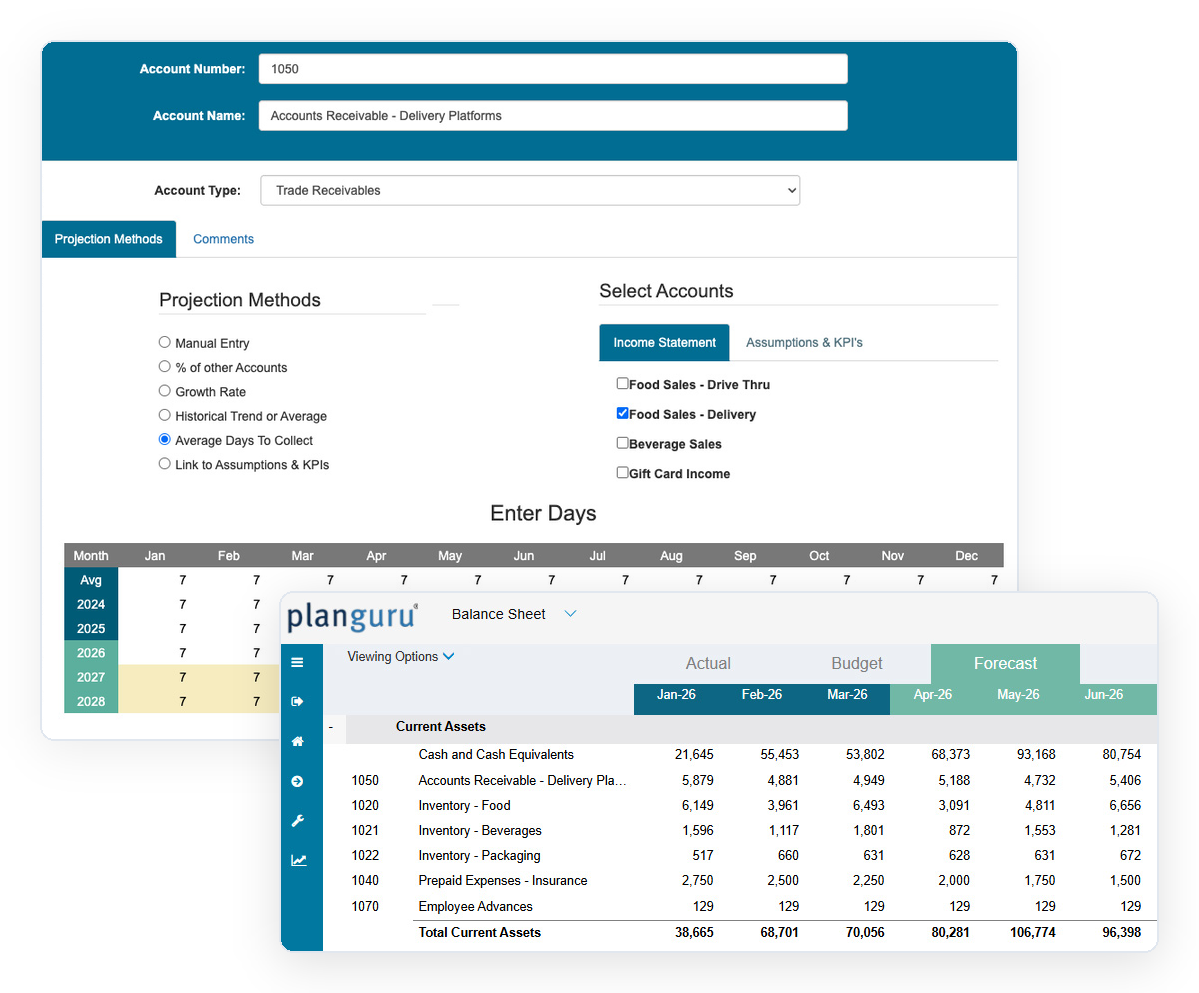
Net income isn’t the same as cash in the bank. PlanGuru posts net income to cash, less any accruals or deferrals you capture by linking income statement accounts to the balance sheet.
A Complete Cash Flow Statement, Built Automatically
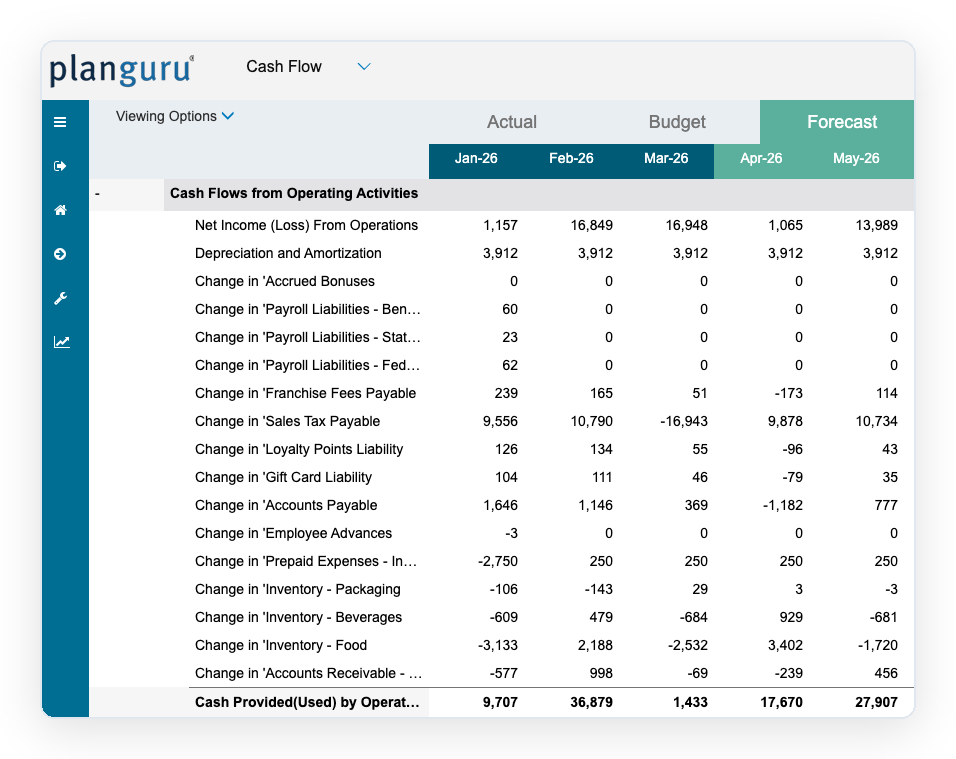
Every model you build, from a startup budget to a multi-entity forecast, comes with a cash flow statement that shows exactly how your decisions affect liquidity.
Hover over each section to see what it captures.
Operating Activities
Income and working capitalDay to Day Cash
Net income plus changes in working capital, accruals, and other income items, like receivables collected and payables paid.Investing Activities
Equipment and propertyLong Term Assets
Fixed asset purchases and disposals, so you can see the cash impact of every capital investment you plan.Financing Activities
Loans and equityFunding Your Plan
Loan proceeds, repayments, and equity injections, showing how financing decisions change your cash runway.See It in Action
Watch how PlanGuru updates cash as you add assets, loans, revenue, and receivables.
Frequently Asked Questions
Cash Flow Forecasting FAQs
Know Your Cash Position Before It Happens
Let PlanGuru handle the cash math while you plan for what’s next. Start a free trial or join a live demo to see cash flow forecasting in action.